Are you having issues getting your Troupe Membership subscription to go through?
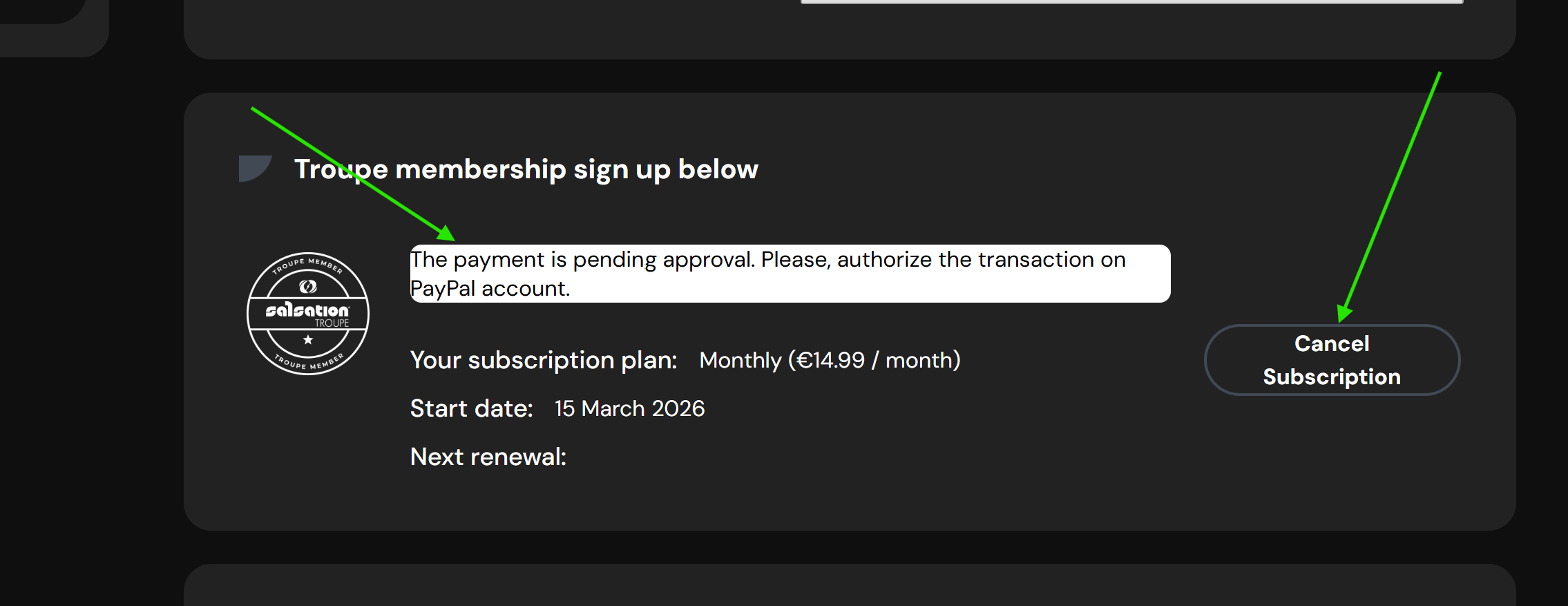
If you are trying to subscribe and keep getting this message: "The Payment is pending approval. Please, authorize the transaction on your PayPal account."
This means your subscription payment did not go through.
You can reset the subscription area if you receive this message by clicking on the "Cancel Subscription" button.
This will allow you to see the subscription options again.
1. Can you confirm that your PayPal account is fully active and verified?
How can you check this?
Log in to your PayPal account and make sure there are no messages asking you to verify your identity.
2. Can you confirm that you have the following payment methods added and verified in your PayPal wallet?
➡️Bank account + debit card (PayPal requires that the debit card linked to the bank account also be added)
Or;
➡️Debit card or credit card
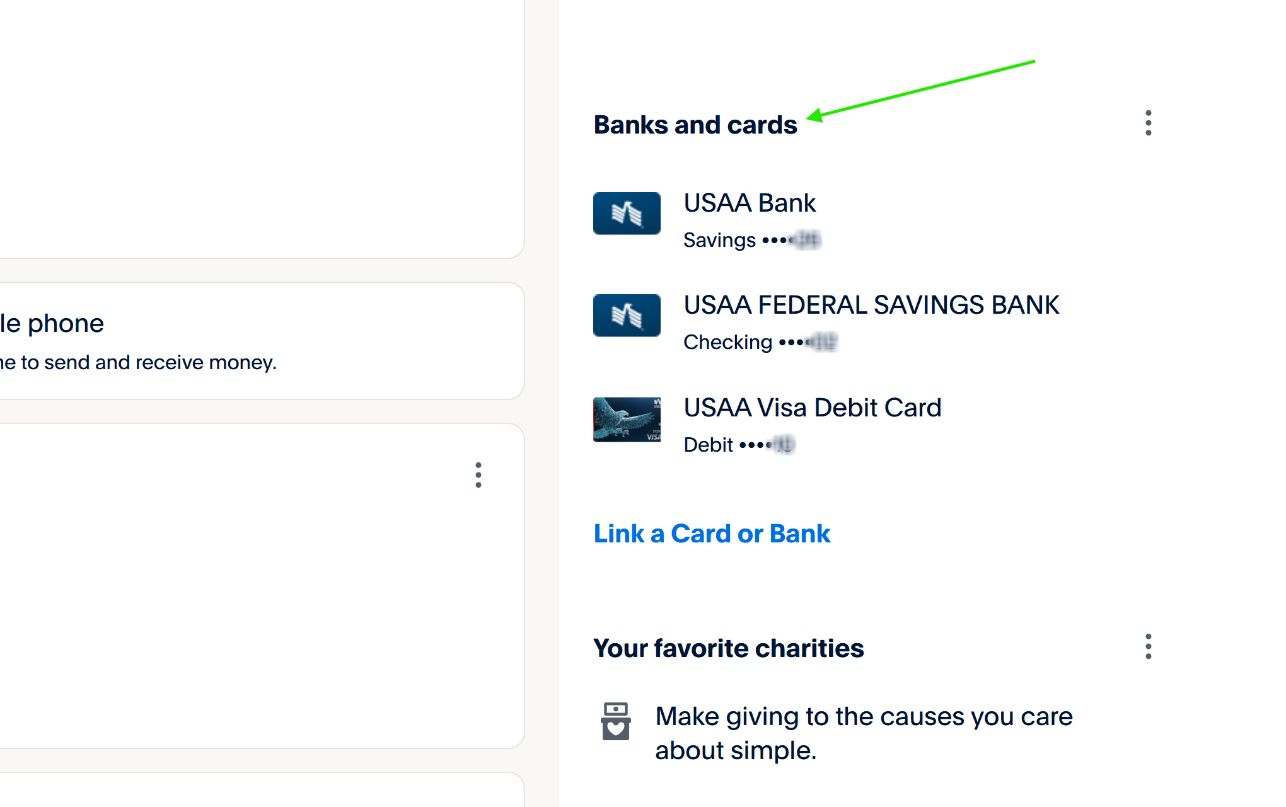
To verify this, you can click on the account type from the main view and check that the payment method appears as “Confirmed” or “Verified.”
If you see a message saying “verification required” or “confirmation needed,” you’ll need to complete the setup for that payment method in your PayPal account before you can use it.
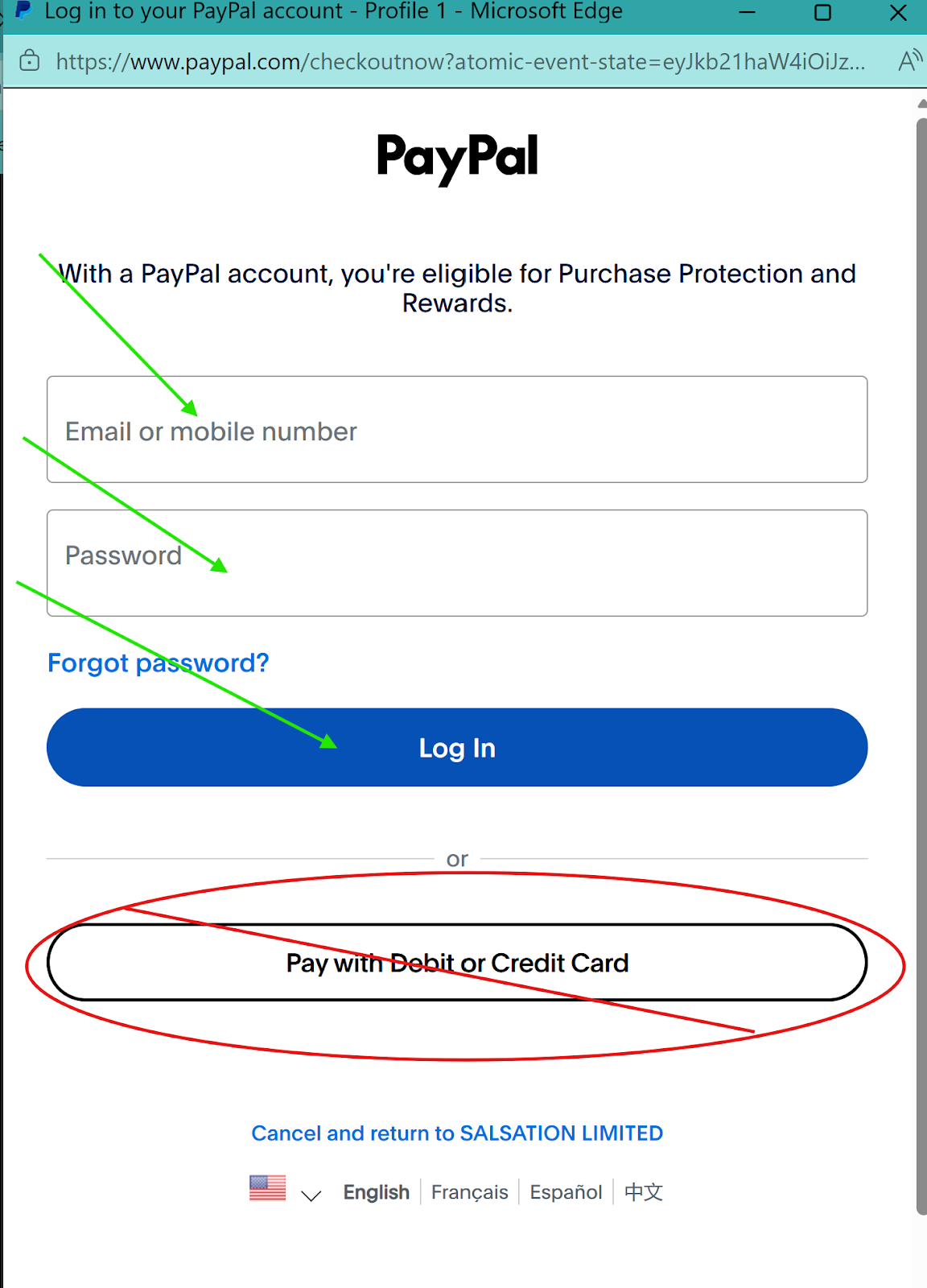
Once you’ve verified that all these steps have been completed in your PayPal account, you can try subscribing to the membership again through your Salsation account.
Just make sure to log in to your PayPal account to subscribe and do not select the “Pay with credit or debit card” option.
You must have a PayPal account registered in your name and email address to subscribe successfully.
Was this article helpful?
That’s Great!
Thank you for your feedback
Sorry! We couldn't be helpful
Thank you for your feedback
Feedback sent
We appreciate your effort and will try to fix the article